A payment link transitions to a terminal or inactive status when one of the following conditions is met:
| Status | Cause |
|---|---|
expired | The current time has passed restrictions.dates.expiresAt. This happens automatically — no action is needed. |
deactivated | The link was manually disabled, either via the Customer Hub or by sending POST /paymentlinks/update with paymentLink.status: "deactivated". |
completed | The number of successful payments has reached restrictions.payments.limit. |
failed | The number of failed payment attempts has reached restrictions.errors.limit, if configured at creation. |
To inspect the cause, retrieve the link (PaymentLinkId in the header, not the URL) and check the status, restrictions.dates.expiresAt, restrictions.payments.count, and, if present, restrictions.errors.count fields:
curl https://api.shift4.com/api/rest/v1/paymentlinks/retrieve \
  -H "AccessToken: YOUR_ACCESS_TOKEN" \
  -H "InterfaceVersion: 1.0" \
  -H "InterfaceName: YourApp" \
  -H "CompanyName: YourCompany" \
  -H "PaymentLinkId: link_8kdskX8DZ8FR6W3acYPXiyAN"
If the link expired earlier than expected, check the format of restrictions.dates.expiresAt. The field expects an ISO 8601 timestamp (for example, 2026-05-27T12:00:00.000Z) — sending a Unix epoch value will either be rejected or interpreted as a date in the distant past, causing the link to expire immediately.
restrictions.errors.count increases when a payment submitted through the link is reported as failed, such as a declined payment. Simply opening the link, or an error that prevents a payment from being submitted (for example, form validation or CAPTCHA), does not increase the count. A pending payment does not count unless it later fails, and processing the same payment result again does not add another attempt.
When the count reaches the configured restrictions.errors.limit, the link moves to the failed status and stops accepting payments. If no error limit was set when the link was created, failed attempts do not close it.
Only deactivated links can be reactivated. Links in the expired, completed, or failed status are permanently closed and cannot be reopened.
| Status | Can reactivate? |
|---|---|
deactivated | Yes — POST /paymentlinks/update with paymentLink.status: "active", or use the Customer Hub |
expired | No — create a new link |
completed | No — create a new link |
failed | No — create a new link |
scheduled | No action needed — it activates automatically at activatesAt |
If a link expired before payment was received and you need to accept payment, create a new link with the same configuration. There is no way to extend the expiry date of an existing link.
The customer sees a Shift4-hosted page indicating that the link is unavailable. The page describes the reason (expired, deactivated, or sold out) but does not expose internal configuration. The customer cannot complete a payment.
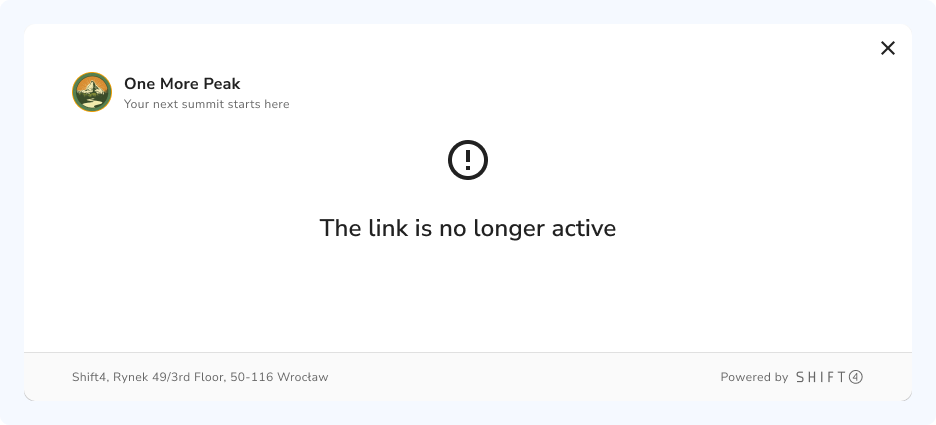
This is expected when restrictions.payments.limit is greater than 1 (or omitted entirely — the default is 1). The link stays active until restrictions.payments.count reaches the configured limit. To confirm whether payment went through, retrieve the link and check restrictions.payments.count, or list the underlying checkout sessions with GET /checkoutsessions/list filtered by the PaymentLinkId header.
Email notifications require a customer on the create request. The customer can be referenced by id (an existing Shift4 customer record) or supplied inline — but an email address must be present:
Email (paymentLink.notifications.share.email: true):
- Either
customer.idof an existing record that hasemailAddressset, or an inlinecustomer.emailAddresson the create request. - Without an email address available, the notification field is silently ignored.
To confirm whether a notification was sent, retrieve the payment link and inspect paymentLink.notifications.share.email.status in the response. Values are sent, delivered, or failed.
There is no resend endpoint. Notifications fire once at link creation (when paymentLink.notifications.share.email is true) and cannot be re-triggered via the API. If a customer didn't receive their notification, the options are:
- Same link, manual share — retrieve the link and re-send the
paymentLink.urlover any channel (your own email, chat, etc.). - New link — create a fresh payment link for the same amount and let Shift4 send the notification again. Deactivate the original first so there aren't two active payment paths for the same transaction.
Even with the digital wallet toggles switched on in Settings → Payment Links, the Apple Pay and Google Pay buttons only render at checkout if your business is eligible to accept them. Apple and Google each maintain their own list of prohibited and restricted business categories — if your merchant category code (MCC) falls into one of these, the wallets are suppressed and no button is shown, regardless of the Customer Hub setting.
Common ineligible categories include tobacco and vaping, firearms and weapons, adult content, cryptocurrency exchanges, certain gambling, and other regulated verticals. The authoritative lists are maintained by Apple and Google directly:
If your business model is permitted under both policies and the buttons still don't appear, contact your Shift4 representative to confirm digital wallets are enabled for your MCC.
The redirect to returnUrl fires after a successful checkout, but it must not be treated as authoritative payment confirmation — a malicious actor could navigate directly to your return URL. Always confirm payment server-side:
- Read the
checkout_session_idquery parameter from the redirect URL. - Retrieve the Checkout Session (the session ID goes in the
CheckoutSessionIdheader):curl https://api.shift4.com/api/rest/v1/checkoutsessions/retrieve \ -H "AccessToken: YOUR_ACCESS_TOKEN" \ -H "InterfaceVersion: 1.0" \ -H "InterfaceName: YourApp" \ -H "CompanyName: YourCompany" \ -H "CheckoutSessionId: chse_wMCUGVZgpf45fWHzKbYWMKmZ" - Inspect
checkoutSession.lastTransactionon the response — it is the underlying sale-response object (card brand, last four, captured amount, success/failure). Treat a successfullastTransactionas authoritative confirmation.
For a fully server-side confirmation that doesn't depend on the browser redirect at all, subscribe to the checkout_session_completed webhook event. This fires regardless of whether the customer's browser ever reaches your return URL.
Custom field answers are stored on the Checkout Session, not on the payment link. To retrieve them:
- Get the Checkout Session ID from one of these sources:
- The
checkout_session_idquery parameter in yourreturnUrlredirect. - The
checkoutSession.idfield of thecheckout_session_completedwebhook event. - A session returned from
GET /checkoutsessions/listwith thePaymentLinkIdheader set to your link's ID.
- The
- Retrieve the session via
GET /checkoutsessions/retrievewith the session ID in theCheckoutSessionIdheader. - Read the
customFieldsarray on the response. Each entry contains thekeyandlabelyou defined at link creation plus thevaluethe customer entered.
Custom fields are not visible in the Customer Hub's payment link detail view — you must access them via the API or webhook payload.
Three fields are available for reconciliation, each with a different purpose:
| Field | Visible to customer | Where it lives | Max length | Use for |
|---|---|---|---|---|
metadata | No | Top level of the create request, alongside paymentLink | Key/value strings | Internal IDs, CRM keys, ERP references |
paymentLink.vendorReference | No | Payment link object | 50 characters | External invoice or order number; reportable in the Merchant Portal and settlement extract |
paymentLink.staticFields | Yes | Payment link object (key/value object) | Title key max 55 chars, value max 255 chars | Context shown to the customer alongside the amount |
The recommended pattern for A/R reconciliation:
- Set
paymentLink.vendorReferenceto your invoice number. - Set top-level
metadatawith any additional internal IDs (customer ID, ERP record, case number). - Listen for
checkout_session_completedwebhooks. The webhook payload includespaymentLink.id(not the full link) and thecheckoutSession— including itsstaticFieldsandcustomFields. UsepaymentLink.idto retrieve the link and readvendorReference/metadataif you need them; or rely onstaticFields/customFieldsalready on the session.
Avoid encoding reconciliation data only in the product name — that field is customer-facing and has no guaranteed format.
POST /paymentlinks/update accepts most of the same fields as create — line items, restrictions (dates and payments.limit), returnUrl, collectBillingAddress/collectShippingAddress, notifications, staticFields, customFields/customFieldsTitle, locale, and status (used to deactivate/reactivate).
That said, if a payment has already been processed against a link, changing the amount or product is rarely the right move — it creates a mismatch between historical transactions and the current configuration. The safer pattern when correcting an error:
- Deactivate the original link (
POST /paymentlinks/updatewithpaymentLink.status: "deactivated") to prevent further payments. - Create a new link with the corrected configuration.
- Communicate the new URL to the customer.
Yes, if restrictions.payments.limit is greater than 1. Each successful checkout creates a separate Checkout Session. The link transitions to completed once the limit is reached.
For single-use links (for example, a link sent to one specific customer), set restrictions.payments.limit: 1 — which is also the default if you omit restrictions.payments. This guarantees the link accepts exactly one successful payment and then closes automatically.
Work through the following checklist:
- Endpoint returns 200. Shift4 considers any non-
200response a delivery failure. Return200immediately upon receipt, before any processing logic that might fail. - Endpoint is reachable from the internet. Localhost or internal network addresses will not receive webhooks in production. Use a tunneling tool (ngrok, Cloudflare Tunnel) for local development.
- The link has a
webhookUrlset. Events are delivered only if the link was created (or updated) with awebhookUrl. Retrieve the link and confirmpaymentLink.webhookUrlis present and correct; if it's wrong or missing, set it via/paymentlinks/update. - You're handling the right event. Route on
event.type(payment_link_created,payment_link_updated,checkout_session_completed, and others) — see Monitor and reconcile → Notifications for the full list.
For payload format and the full list of event types, see Monitor and reconcile.